A loading screen worth the wait
The campfire is gone. While Tinderbox Works loads, a little hero now leaps out of a tinderbox, builds a level, runs across it and packs it away again, with a different level each time. Here is how ChatGPT and Claude Code got there, and the four storyboards we didn't pick.
How we got here
The campfire had to go.
The old loading screen was a campfire that grew with the download. Rob didn't like it, and the alternatives Claude Code drew in canvas code didn't hold up either: flames are organic motion, and Claude only ever sees still frames of what it draws. So the art had to come from somewhere else, with Claude Code doing the animating.
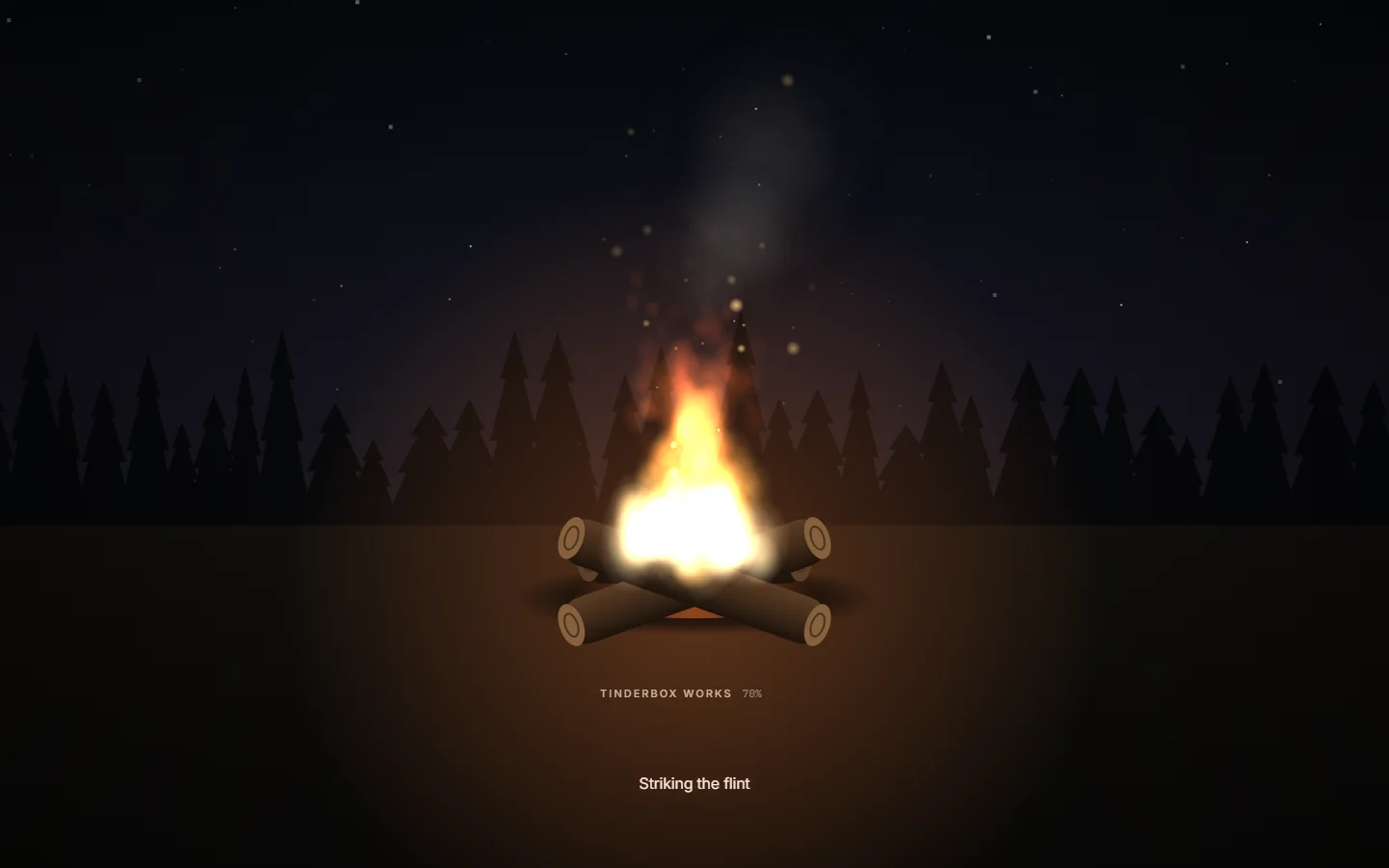
Art from ChatGPT, motion from code.
Three ways to get there: pick a finished Lottie animation, copy the feel of a reference, or have ChatGPT draw the art and animate it in code. We went with ChatGPT, through Rob's own subscription, so the art fits Tinderbox Works exactly.
Six ideas.
Rob's own idea: build a tinderbox, open it, strike the flint for a huge spark that fades, and start again. Claude Code added five: an ember that grows into a campfire, a forge where a hammer shapes an ingot into a cartridge, a match strike, a fuse that doubles as the progress bar, and a box of light that releases little game sprites. Rob picked the box of light, and asked for five longer versions of it, because on a bad connection the wait is long.
Storyboard 1: rising sprites.
A coin, a heart and a sword rise out of the box and burst into sparkles.
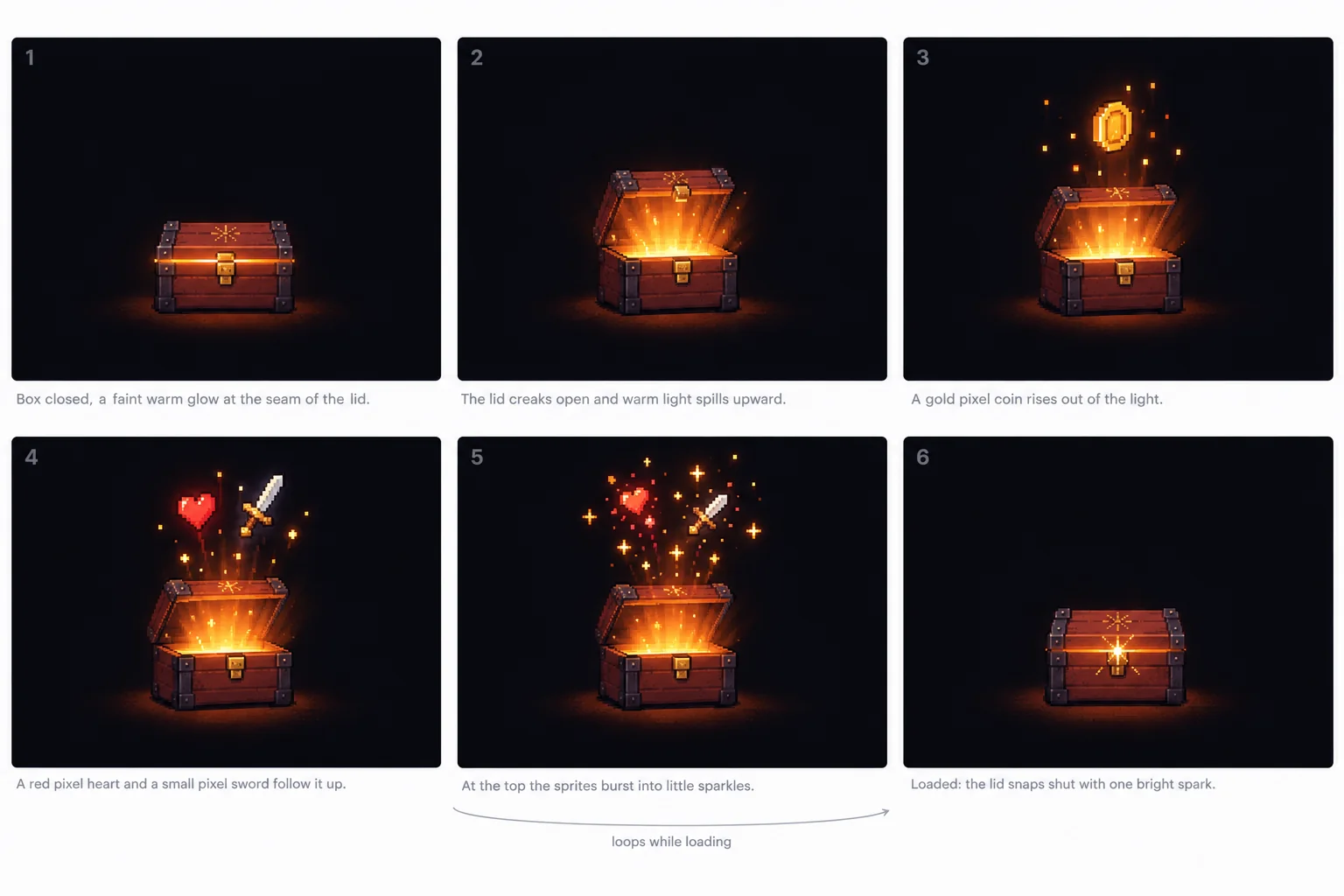
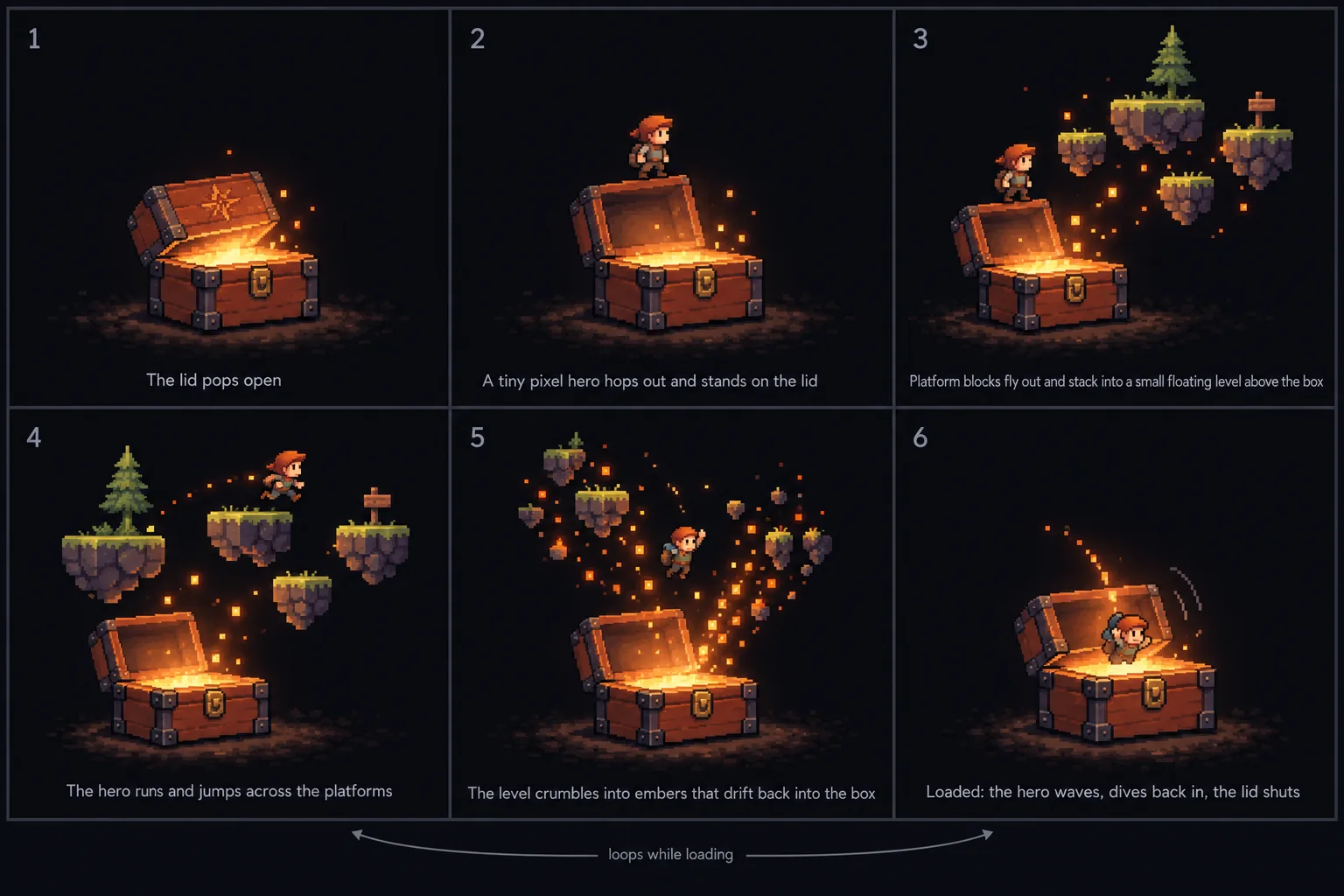
Storyboard 2: level builder. The one we built.
A hero hops out, platforms fly out of the box and become a level, the hero runs across it, and the level crumbles back into the box as embers.
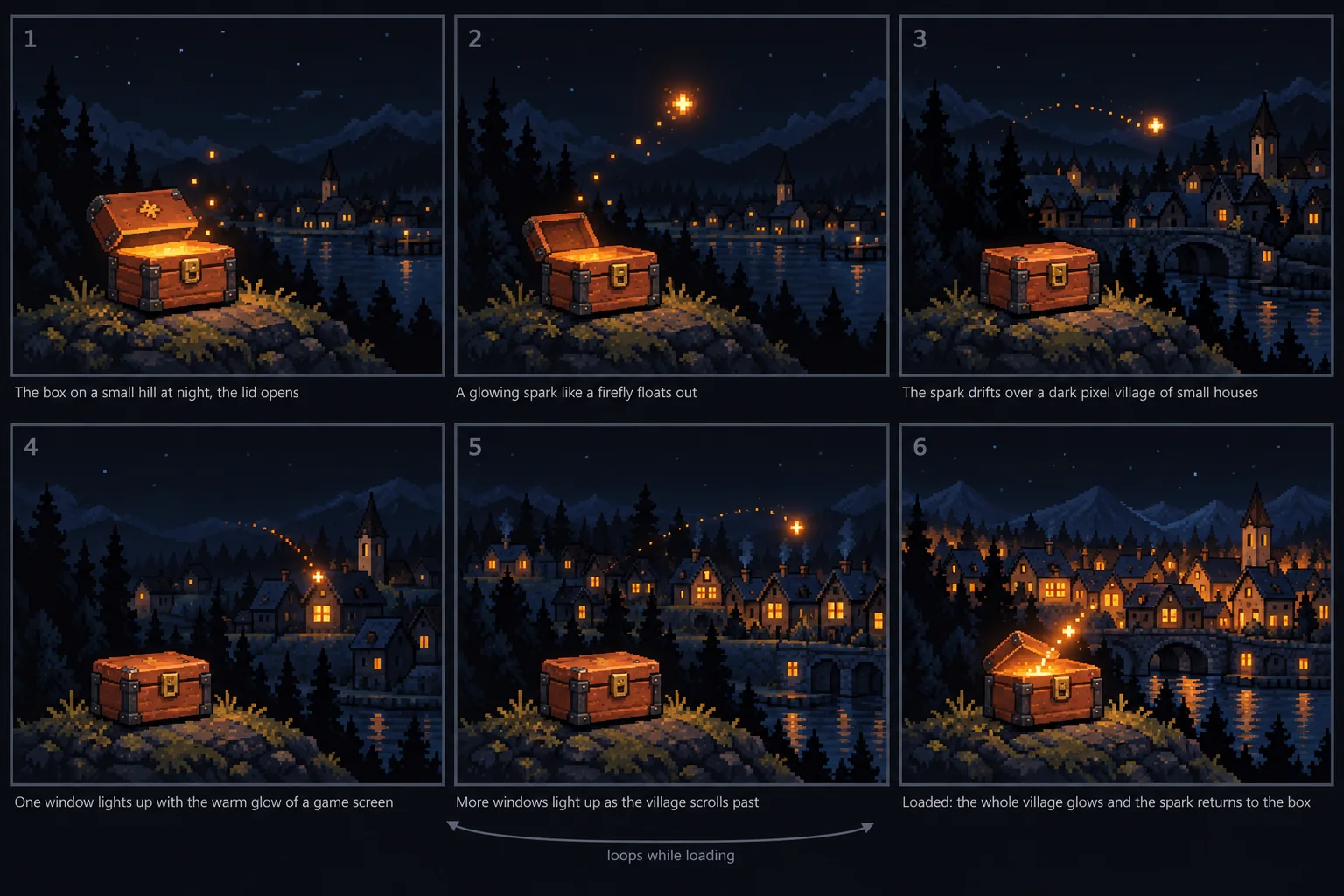
Storyboard 3: firefly journey.
A spark drifts over a village at night and every window it passes lights up, as if someone started playing.
Storyboard 4: pack and ship.
Sprites drop into the box, a spark seals it like a wax stamp and the box hops off to its player.
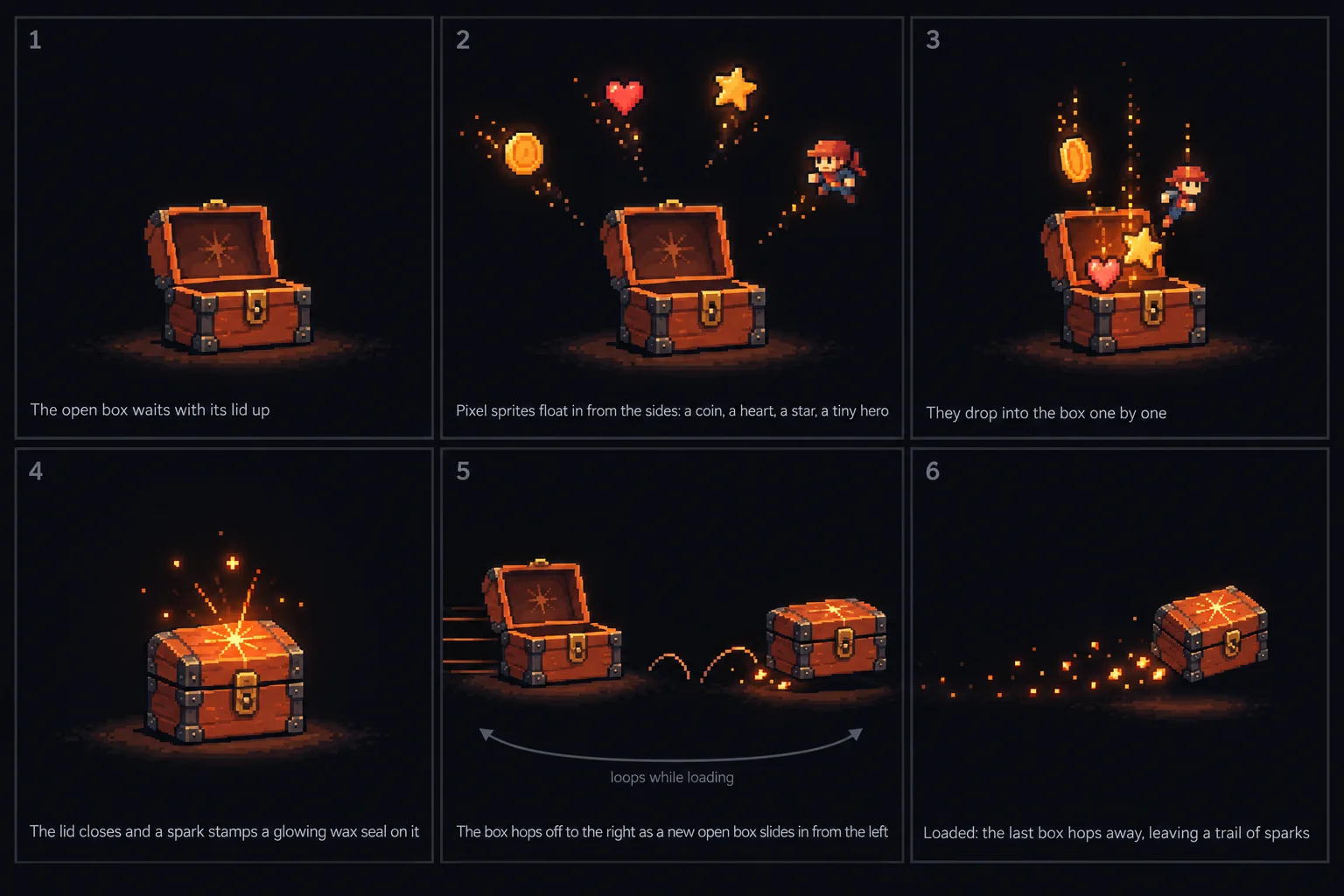
Storyboard 5: players' hands.
Sprites float up to hands reaching in from every side, and each hand that catches one glows.
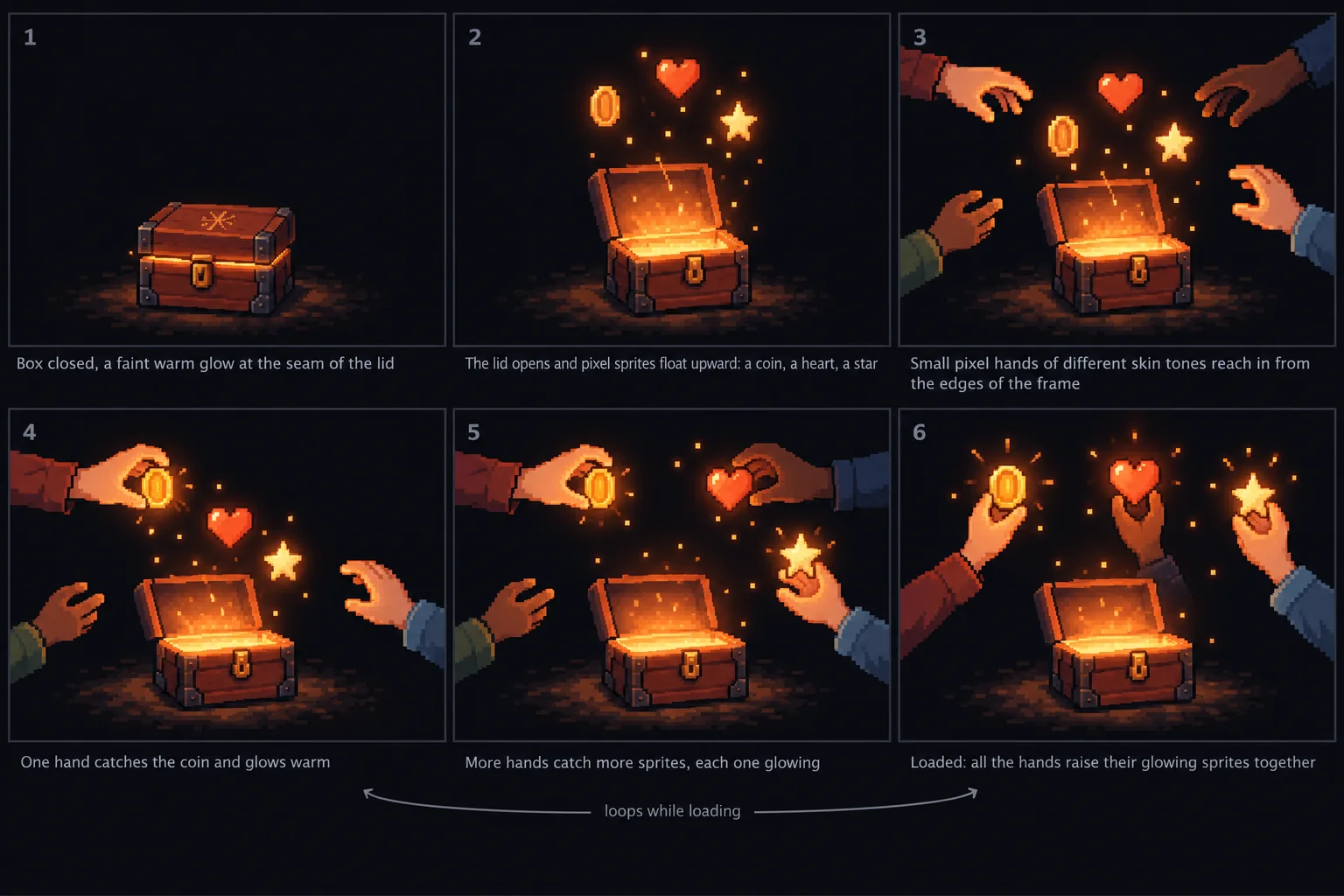
One change to the loop.
In the storyboard the loop jumped from the last panel back to the fourth. Rob wanted it to run from the end all the way back to the start: the hero waves, dives into the box, the lid shuts, and it begins again from the closed box.
Parts, not frames.
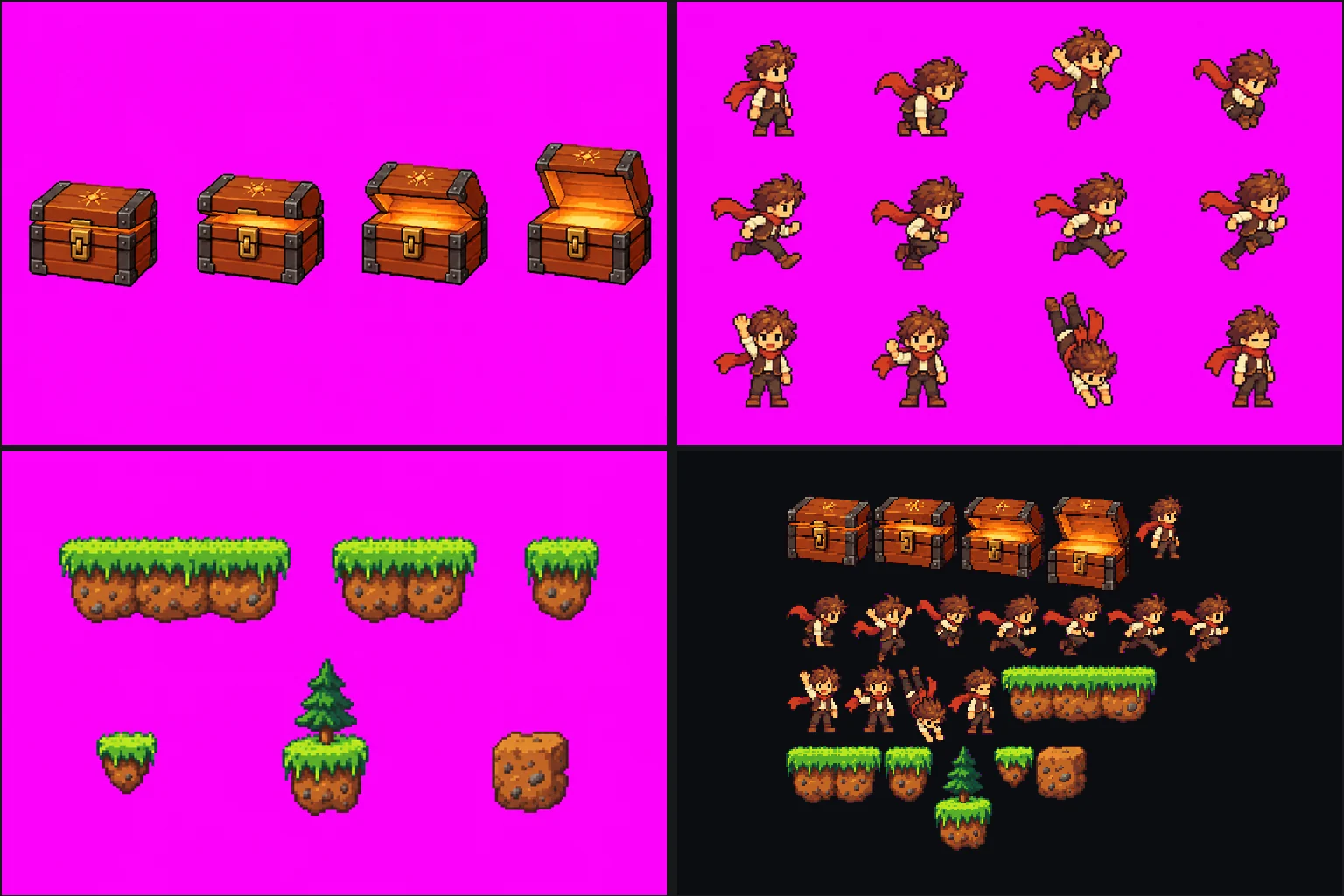
Image models drift from frame to frame, so we didn't ask ChatGPT for animation frames. We asked for parts on a flat magenta background: four lid positions, twelve poses of the hero and six level pieces. ChatGPT draws pixel art on a grid 256 pixels wide and scales it up six times, so cutting each part out at one colour per 6×6 cell gives back real pixel art: one 17 KB image for the whole animation.
The motion is code.
Jumps are arcs, the run cycle plays at 12 frames a second, platforms fly out of the box with a small overshoot, and when the level crumbles every piece breaks into its own pixels, which heat up to ember orange and drift back into the box. With reduced motion you see one still frame with the level built.
Out of the box, not from behind it.
In the first version the platforms seemed to come from behind the box. Now everything inside the box is hidden behind its front panel, so the platforms climb out through the opening, just like the hero, and the embers go back in the same way.
Five levels, a new order every time.
One level gets old on a slow connection, so there are five, each with its own platforms and its own route. The hero's jumps and runs are worked out from the level, so a new level is just a list of pieces. Every time the app opens it shuffles the five, and each time the lid shuts the next one comes out. A loop takes 12 to 14 seconds.
Less on screen, and an honest last step.
The lines that slid in under the animation every few seconds were one thing too many next to it, so they're gone. And the percentage used to reach 100%, say "ready" and then keep you waiting while the app started. Now it counts the download, then says "Initializing…" until the app is on screen.
Changed
A new loading screen.
The tinderbox and its five little levels replace the campfire. Under the name you see how far the download is, then "Initializing…" while the app starts; the rotating lines are gone.